
Pause Your Campaigns
Pause Your Campaigns Anytime
You can now pause any campaign whenever you need. For example, if you created a multi-day campaign for a specific product and it goes out of stock, simply pause it and unpause it when you're ready to continue — no need to recreate everything from scratch.
We believe having the option to pause is essential, so we’ve added it to make managing your campaigns easier and more flexible.
How to pause a campaign:
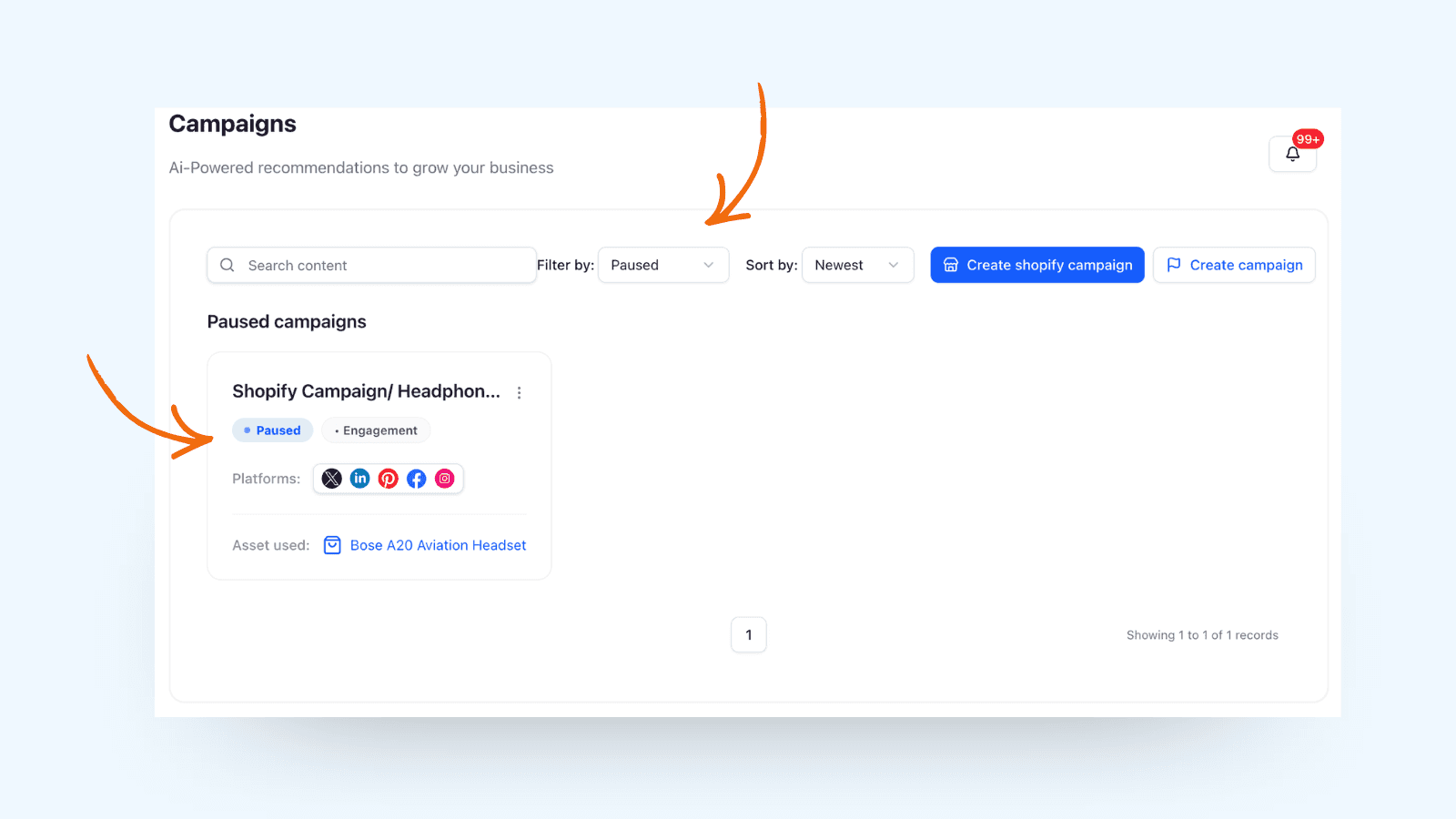
Click the three dots in the corner of the campaign and select Pause.
How to view paused campaigns:
Go to Filter by and choose Paused to see all campaigns currently in that status.
Se you next friday with more updates!