Multiday Campaigns—How do they work?
FEBRUARY 16, 2026

Sofia Enriquez
Marketing Strategist
Welcome to the Multiday Campaigns in Bluumly, let's review how they work…
Select the Multiday Option.
When creating any campaign — Web or Shopify — start by selecting the Multi-Day option at the top. This unlocks the feature and allows your campaign to run over multiple days instead of just one.
Choose your Time Range
Select how long you want your campaign to run — anywhere from 3 to 15 days.
Our smart AI then distributes your product images and content to generate multiple on-brand posts for every social platform you choose.
Bluumly automatically selects the ideal number of posts for each platform, but you’re always in control — you can increase or reduce the number of posts if you’d like.
Fresh Content
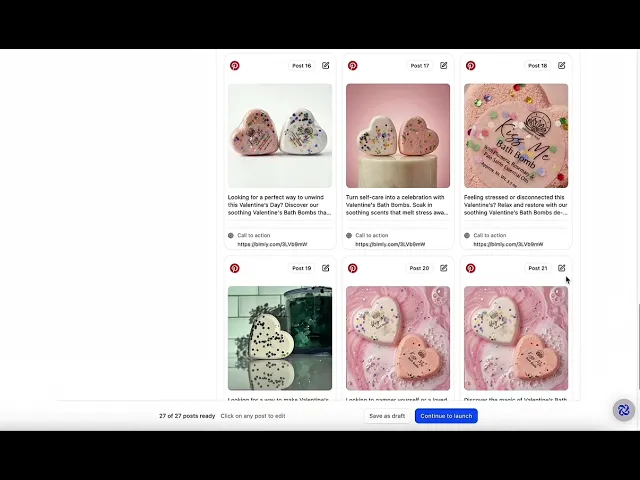
Once your assets are created, you’ll see unique posts for every platform.
Click on any channel to expand it and review the posts.
Want to tweak something? You can edit each post before it goes live.
Automatic Schedule
Our AI picks the best dates and times for your posts based on the duration you selected.
Your content is automatically scheduled and distributed throughout the campaign period, creating a consistent, on-brand presence without extra work from you.
Last but not least:
Create Multi-Day campaigns for several products and cover your entire month with content in just minutes. We honestly nailed this one!
Posting has never felt this easy! — We’re kind of obsessed with this feature 🤩